webRTC:WebReal-TimeCommunications
google开源了google-webRTC的sdk用于提供相关技术
webRTC的三大技术难点私有ip的链接
语音降噪
MAC搭建webRTC服务器webRTC服务器一般包含三部分
用于交换sdp/ice信息的房间服务器roomServer(3000)
用于连接私有ip的穿透服务器sturnServer(3478)
用于做代理的nginx服务器,一般服务的端口不会轻易暴露给客户端用.
安装node版本的房间服务webRTC安装nodebrewinstallnode//检测node是否安装成功node-v
gitclonecoturn穿透服务
brewinstallcoturn//启动coturn服务brewservicesrestartcoturn//查看coturn命令mancoturn//coturn服务器访问密码//得到安全访问密钥//0xa4a6576444351ec2804f4cf2a2701a1a//0::SQLiteconnectionwasclosed.//0::logfileopened:/var/tmp/turn_58775_2022-04-27.log配置coturn
安装完coturn服务后,默认在/usr/local/etc下会存在文件,我们自己新建,加入如下信息,注意user和密码是自己设定的内容:
verbosefingerprintlt-cred-mechrealm=testuser=hch:0xa4a6576444351ec2804f4cf2a2701a1auser=hch:1qazxsw2stale-nonceno-loopback-peersno-multicast-peersmobilityno-cli
重启coturn
brewservicesrestartcoturn安装nginx
brewinstallnginx//配置地址/usr/local/etc/nginx///启动nginxbrewservicesrestartnginx配置nginx
vim/usr/local/etc/nginx/
配置内容注意
ssl_certificate和ssl_certificate_key的位置要与后面生成的https证书的位置一致
mac下日志的地址为/usr/local/var/log/
userrootadmin;worker_processesauto;pid/usr/local/etc/nginx/logs/;include/etc/nginx/modules-enabled/*.conf;events{worker_connections768;multi_accepton;}http{sfileon;tcp_nopushon;tcp_nodelayon;keepalive_timeout300;types_hash_max_size2048;default_typeapplication/octet-stream;ssl_;配置证书ssl_certificate_key/usr/local/etc/nginx/cert/;代理到上面的地址去proxy_read_timeout300s;proxy_set_headerHost$host;proxy_set_headerX-Real_IP$remote_addr;proxy_set_headerX-Forwarded-for$remote_addr;proxy_set_headerUpgrade$http_upgrade;proxy_set_headerConnection'Upgrade';}location/{proxy_passhttp://web/;proxy_set_headerHost$host;proxy_set_headerX-Real-IP$remote_addr;proxy_set_headerX-Forwarded-For$proxy_add_x_forwarded_for;}}}将生成的证书放到nginx配置目录下/usr/local/etc/nginx
//输入密码1qazxsw2//移除密码
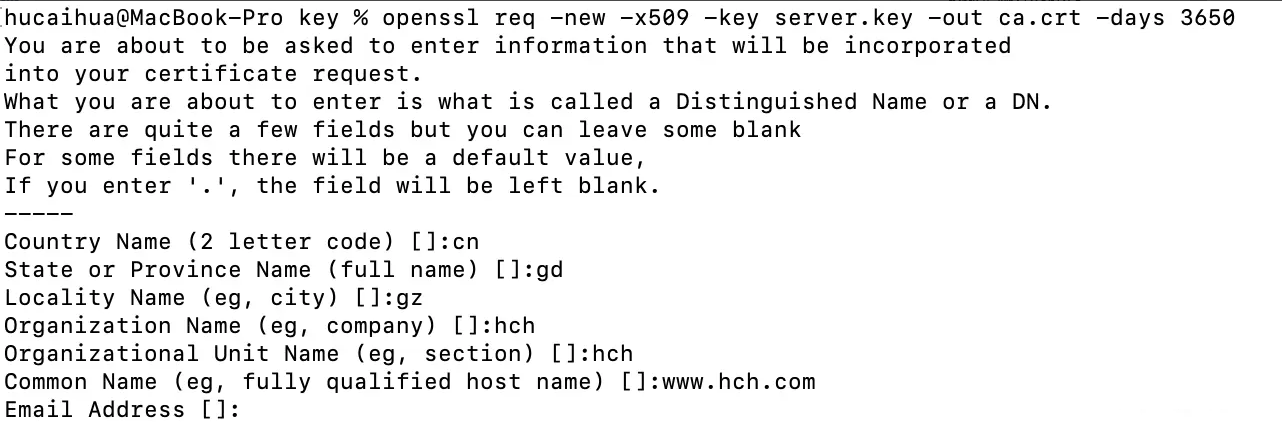
cd/Users/hucaihua/code/git/穿透服务coturn
brewservicesrestartcoturnnginx代理服务
brewservicesrestartnginx//检测nginx是否正常启动ps-ef|grepnginx检验一切是否配置成功